OBSBOT Meet Flip review: budget 4K webcam test
I tested the $119 OBSBOT Meet Flip against my Elgato Facecam Pro. Here is how its 4K video, AI framing, microphones, and folding hinge hold up in practice.
Bekijk de video op YouTubeThe OBSBOT Meet Flip delivers image clarity and rich color reproduction that genuinely caught me off guard for a camera costing around a hundred bucks. Its dual-microphone system sounds cleaner than my dedicated wireless clip-on mic, and folding the lens downward physically shuts off the sensor. The only real hardware limitation is that 4K recording maxes out at 30 frames per second instead of 60.
When I checked on 29 July 2026, it retailed for $119. At that price point, high-end webcams usually run circles around budget options, but this small camera flips that expectation on its head. You can check the current pricing on the OBSBOT official store.
The folding hinge solves hardware privacy without cheap plastic caps
Most webcam privacy covers feel like an afterthought. You usually get a tiny plastic slide that eventually falls off, or you have to rely on an LED indicator that software can accidentally override. The Meet Flip handles this through physical mechanical design.
"The design is easily my favorite part of the hardware." When you are finished with a call or stream, you fold the top camera unit downward against its base. "Fold the lens down, and it enters sleep mode while physically covering the camera." You do not have to wonder if a background application is still accessing your video feed. It is physically blocked, and the unit goes to sleep immediately.
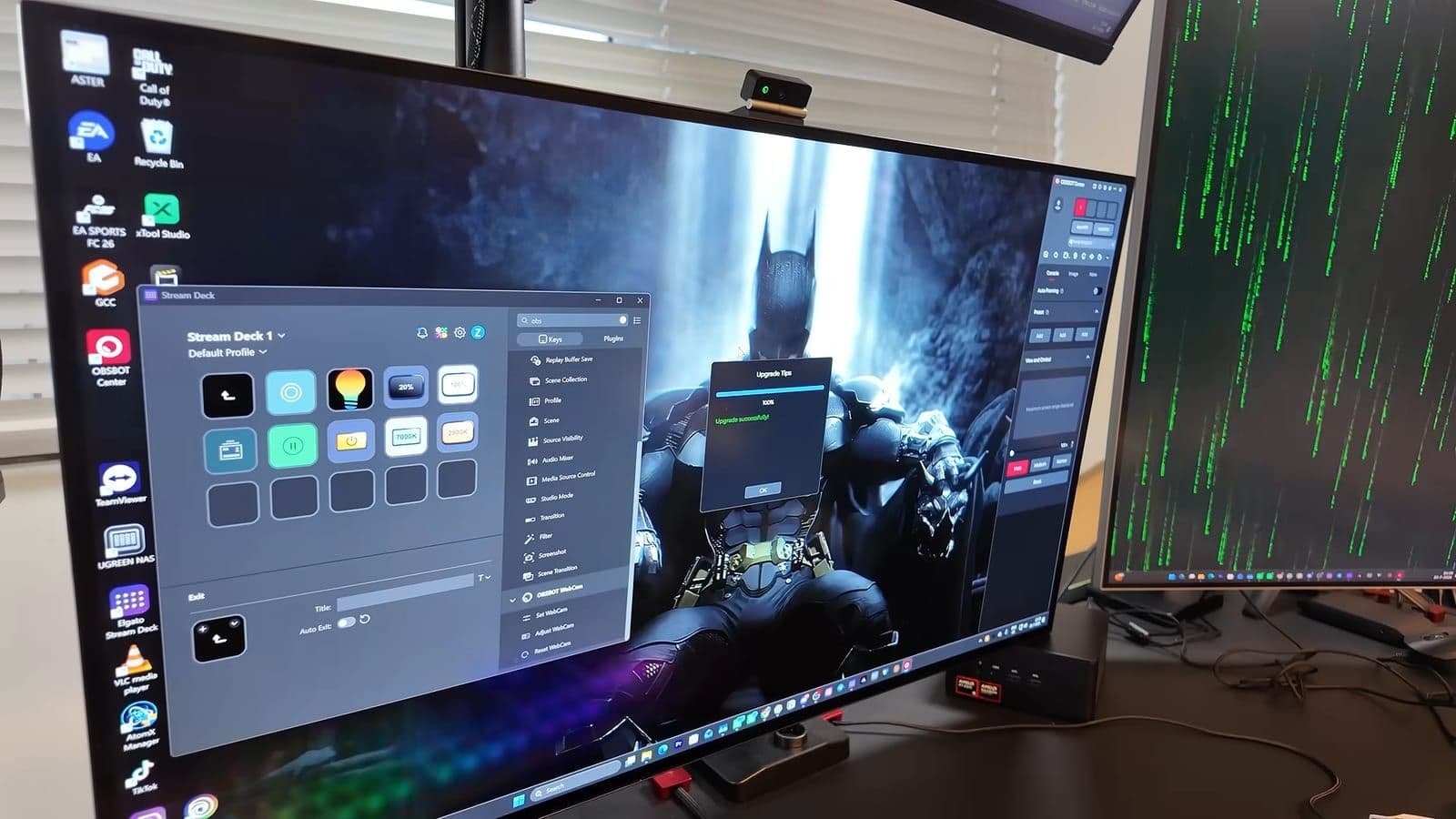
The whole camera weighs just 37.7 grams, which makes it lighter than almost any dedicated webcam I have mounted to a display. It folds almost completely flat, so you can drop it into a backpack pouch or jacket pocket without worrying about snapping off a bracket. The integrated stand unfolds into a monitor clamp that gripped my ultrawide screen securely. If you prefer desk tripods or articulating arms, there is a standard 1/4-inch screw thread cleanly embedded into the base plate.
Setup and everyday desktop connectivity
Connecting the Meet Flip takes seconds. It uses a single USB-C connection, and OBSBOT includes a USB-C to USB-A adapter inside the box for older desktop towers. The camera operates over USB 2.0. On paper, seeing USB 2.0 on a 4K camera in 2026 feels outdated. In practice, the compressed video stream transfers without bottlenecking or dropped frames.
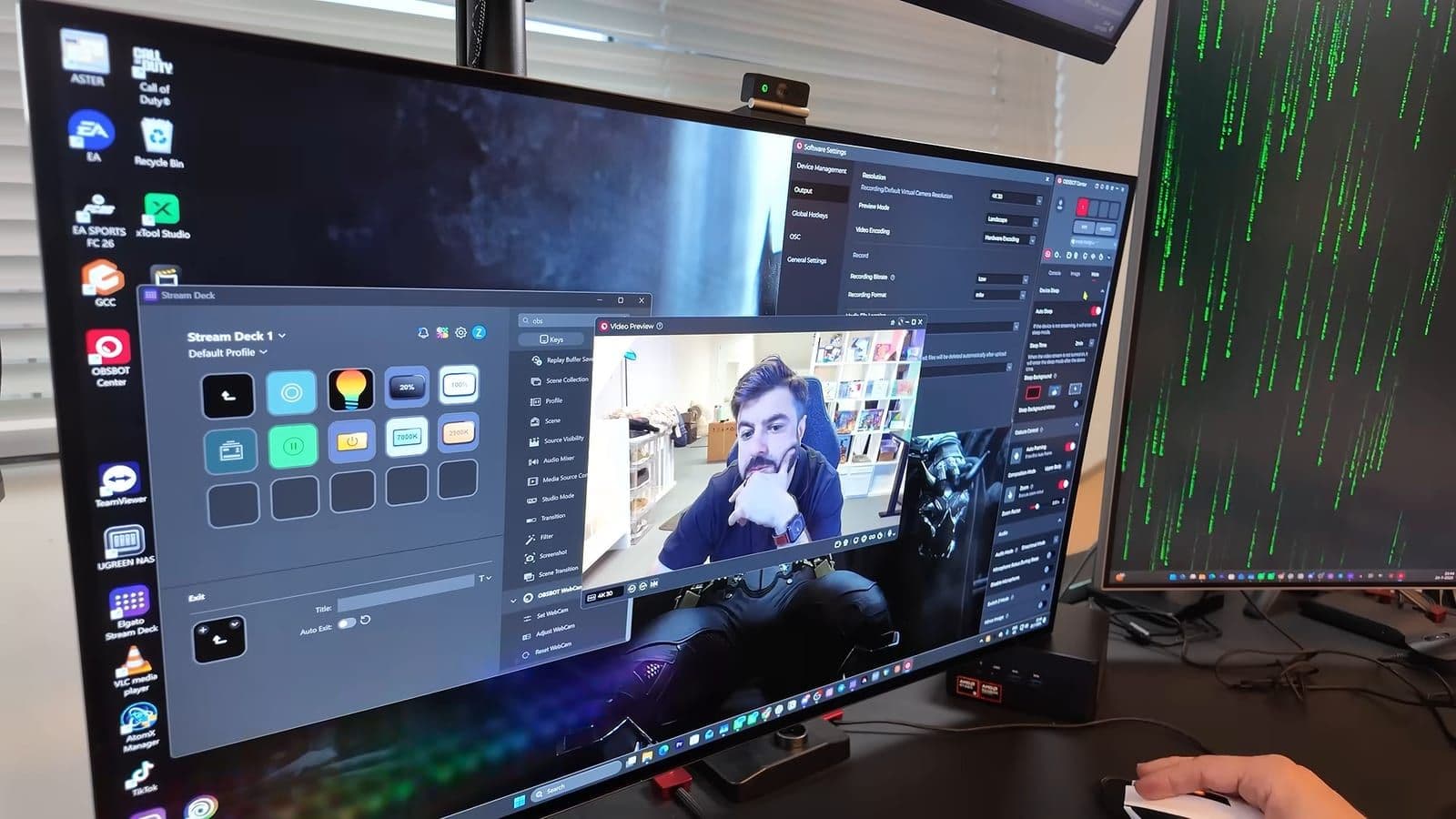
It is completely plug-and-play. I plugged it directly into my Windows setup, and it immediately popped up inside OBS Studio, Zoom, Google Meet, and Microsoft Teams without demanding manual driver installations. For deeper configuration, the OBSBOT Center software gives you fine control over exposure, focus modes, and image presets. You do not need to keep the software running in the background for everyday calls once your preferences are set, though it provides helpful firmware updates.
Video quality and sensor performance
Inside the camera sits a 1/2-inch stacked CMOS sensor paired with Phase Detection Auto Focus. The lens offers a 72-degree diagonal field of view, framing a natural upper-body view without the wide fisheye distortion typical of basic conference cameras. The ISO range runs from 100 up to 6400, which gives it enough breathing room to keep noise low when my room lights are dimmed.
Sharpness straight out of the box is crisp. In my studio lighting, facial hair, skin texture, and background shelves look remarkably clean. "Honestly, I don't have so much words for it, I'm just so impressed how good the quality is." If you want the sharpest visual representation for business meetings or online tutorials, 4K at 30 fps is the sweet spot. For presentations where you move your hands rapidly or demonstrate hardware items, dropping down to 1080p at 60 fps yields fluid motion.
The phase detection autofocus locks onto targets down to roughly 10 centimeters. When I held small products up close to the glass, the focus snapped onto them without hunting back and forth. You also have access to up to 4x digital zoom directly inside the control panel if you prefer a tighter crop.
Here are the core technical specifications:
- Sensor: 1/2-inch stacked CMOS
- Maximum resolution: 4K at 30 fps or 1080p at 60 fps
- Autofocus: Phase Detection Auto Focus with 10 cm minimum focus distance
- Field of view: 72 degrees diagonal (16:9 aspect ratio)
- Weight: 37.7 grams
- Microphones: Dual-microphone array with four processing modes
- Interface: USB 2.0 via USB-C cable
One small limitation stands out. "It would have been very nice if it was 4K 60fps, that's to me the only downside I think, for me personally." If you require ultra-smooth 60 fps capture at full 4K resolution, you will have to step up to significantly pricier hardware.
AI digital auto-framing and vertical orientation switching
Unlike the OBSBOT Tiny series, the Meet Flip does not feature a motorized mechanical gimbal. There are no tiny motors turning the physical camera housing. Instead, the auto-framing happens digitally by cropping into the 4K sensor canvas.
Inside OBSBOT Center, you can toggle between Group Mode, Single Close-up, Upper Body, and Full Body framing. "It can auto-frame you, you know... this is insane." For solo desk setups, the software detects your head and torso movements, smoothly reframing as you lean side to side without jarring jumps. Built-in gesture controls work reliably as well. Holding up an open palm toggles the tracking on or off, while an L-shape gesture lets you zoom in and out hands-free.
Switching from standard horizontal framing into vertical video is another area where the hardware shines. "I can't tell you how often I get annoyed by switching into settings the horizontal mode into vertical mode." When you turn the Meet Flip physically sideways on a compatible mount, the internal sensor automatically detects the shift and flips your stream into portrait orientation. You do not need to open your OBS settings and swap the canvas dimensions manually. For producing short-form content for mobile platforms, that automatic rotation saves real time.
The built-in microphone array outpunched my dedicated mic
Most webcam microphones sound thin, hollow, and echo-prone. I generally advise everyone to mute their webcam mic immediately and buy a standalone USB or XLR microphone. The Meet Flip is the first webcam in a long time that made me reconsider that rule.
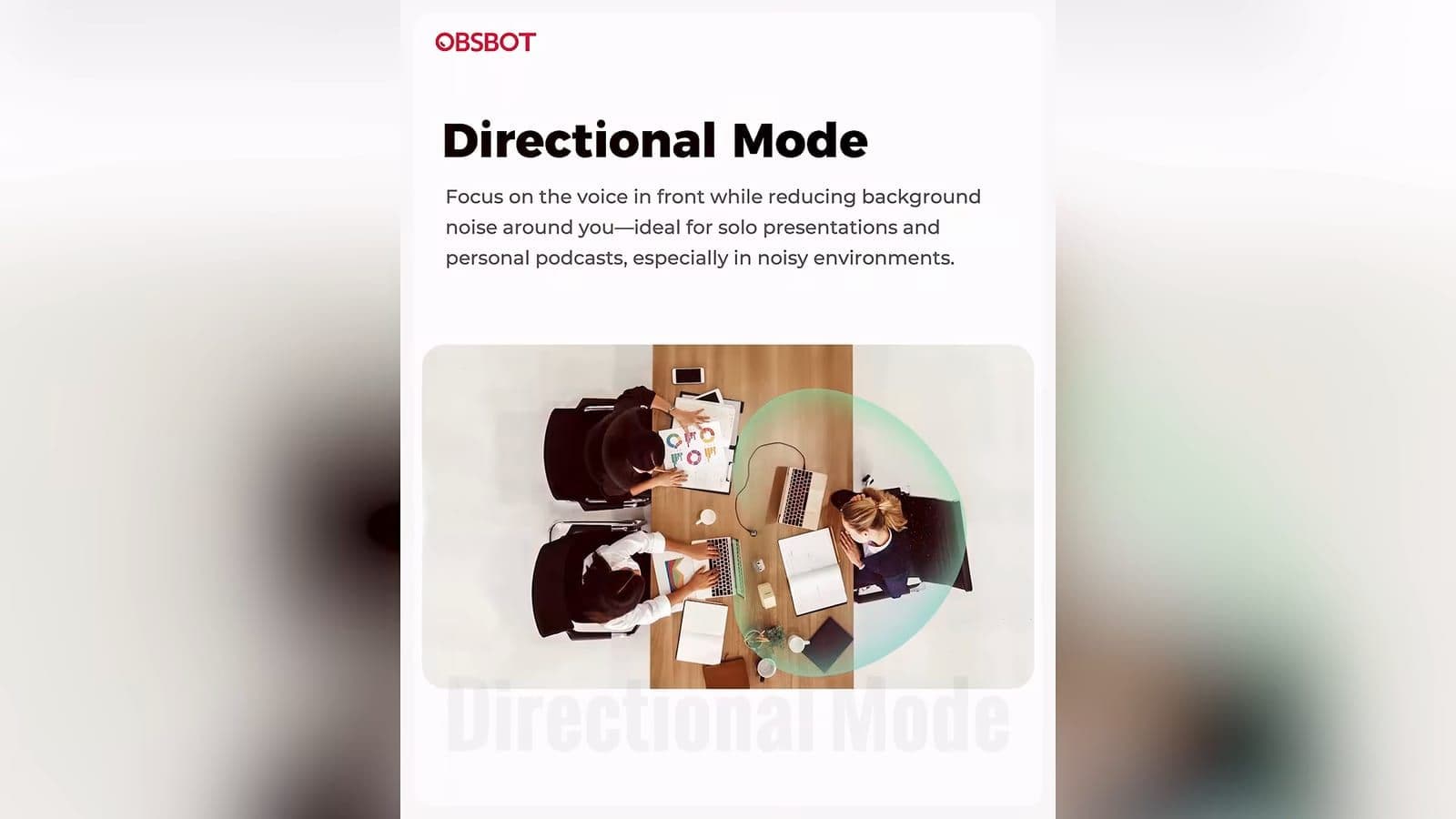
The camera houses two internal microphones: one omnidirectional capsule and one directional capsule. Through the OBSBOT software, you can toggle between four specific sound modes:
- Directional Mode: Focuses directly on the voice in front while suppressing room noise.
- Dual-Directional Mode: Captures voices from the front and rear for interviews.
- Smart Omni Mode: Picks up voices evenly around the desk space.
- Pure Audio Mode: Prioritizes vocal clarity without excessive compression.
During my live test recording in OBS, I ran the webcam mic head-to-head with my normal audio gear. "I used, listened back to the mic of the Obsbot, and it even sounds better than my dedicated mic right here." My vocal presence sounded full and clear without annoying room reverb. For anyone working from home who dislikes wearing a headset all day, the built-in microphones are good enough that you can skip buying a dedicated microphone entirely.
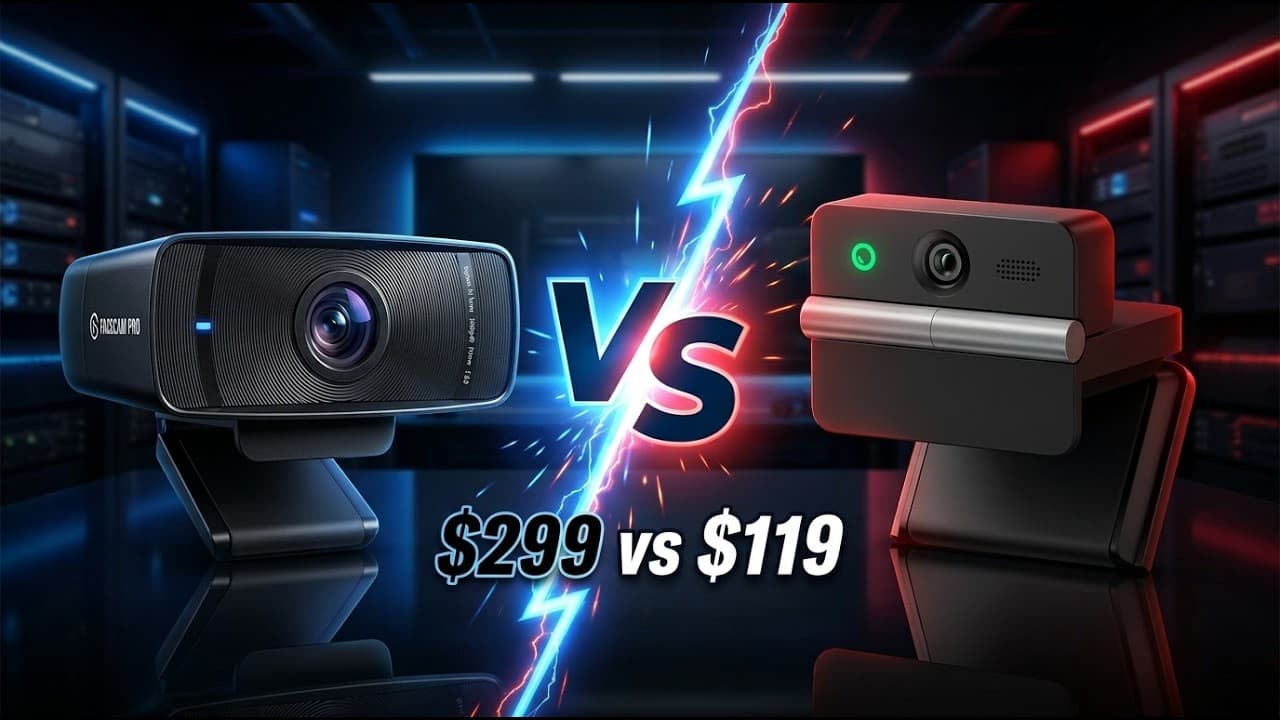
OBSBOT Meet Flip versus Elgato Facecam Pro
I regularly use the Elgato Facecam Pro in my studio. It is a flagship webcam with a premium lens, but it sits in an entirely different price class at nearly three times the cost.
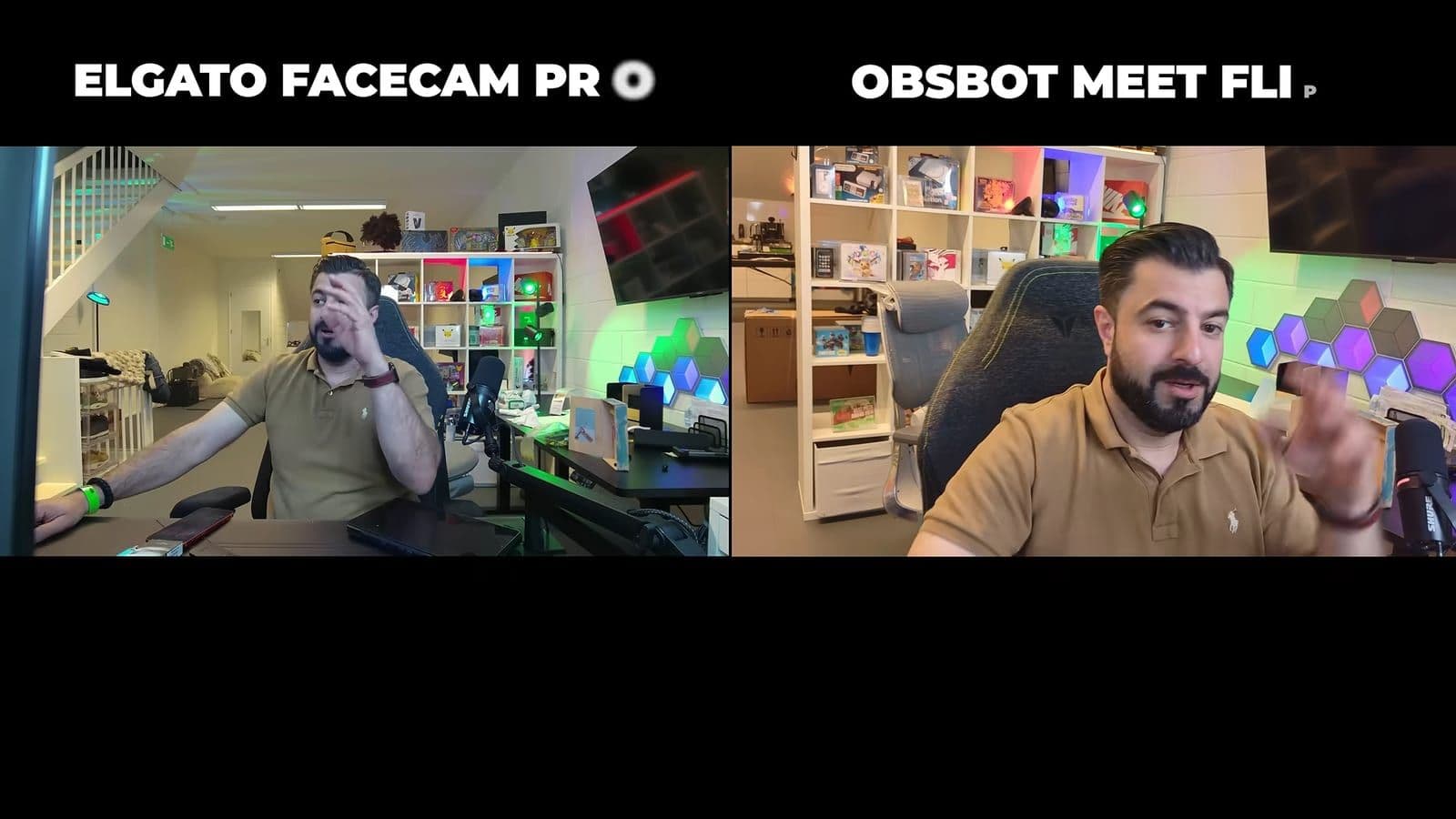
Placing both feeds side by side on my monitor revealed how capable the Meet Flip is. "Honestly, it's very good, the Obsbot, for $119." The Meet Flip produced punchy, vibrant colors with sharp detail across my face and background shelves. The Elgato retains an advantage in pure motion smoothness because it outputs native 4K at 60 fps, while the Meet Flip tops out at 4K at 30 fps. The Facecam Pro also gives you deeper manual control inside Elgato Camera Hub.
However, the Elgato lacks an internal microphone entirely, forcing you to bring your own audio setup. It is also bulky and lacks physical folding privacy. When you compare price to performance, the Meet Flip punches far above its weight class. I liked its output so much during my evaluation that I decided to keep it permanently on my desk as a secondary camera angle.
Who should buy the OBSBOT Meet Flip
Buy the OBSBOT Meet Flip if:
- You want sharp 4K image quality without spending several hundred dollars.
- You want a reliable hardware privacy cover that puts the camera to sleep automatically.
- You need a clear built-in microphone so you do not have to wear a headset on video calls.
- You travel frequently and need a lightweight webcam that folds flat.
- You create vertical content and want automatic orientation switching.
Skip the OBSBOT Meet Flip if:
- You strictly require 4K capture at 60 frames per second for high-motion gaming streams.
- You need physical motorized 360-degree pan-tilt tracking rather than digital AI cropping.
Frequently asked questions
How does the privacy cover work on the OBSBOT Meet Flip?
The webcam features an integrated folding hinge mechanism. Folding the camera unit downward physically obstructs the lens completely and immediately triggers an internal sleep mode. When you unfold the camera back to its upright position, the unit wakes up and resumes video capture.
Does the OBSBOT Meet Flip support 4K at 60 frames per second?
No, the OBSBOT Meet Flip records in 4K resolution at up to 30 frames per second. If you require 60 frames per second for high-speed motion, you can drop the resolution down to 1080p, which supports full 60 fps capture.
Can you use the OBSBOT Meet Flip without installing any software?
Yes, the camera functions as a standard plug-and-play USB video device on Windows and Mac. It works instantly inside applications like OBS Studio, Zoom, and Microsoft Teams without drivers. Installing the optional OBSBOT Center software is only required if you want to alter microphone modes, adjust manual image controls, or apply firmware updates.