Ultrahuman Ring Air Review: Health Tracking Tested
I tested the Ultrahuman Ring Air for a month to see if its titanium design, sleep tracking, and subscription-free model beat standard smartwatches.
Bekijk de video op YouTubeThe Ultrahuman Ring Air proved that passive recovery tracking does not need a bulky screen or a monthly subscription to be genuinely useful. At just 2.4 grams, it disappears on your hand while giving you sleep and metabolic feedback that actually makes sense. If you hate wearing a smartwatch to bed, this is the most practical alternative I have tested so far.
How the sizing kit and titanium build feel on your finger
Before you get the actual hardware, Ultrahuman sends you a plastic sizing kit with dummy rings ranging from size 05 to size 14. You need to wear the sample ring for at least twenty-four hours because fingers swell throughout the day, especially when you sleep or after you eat salty food. If the ring is too loose, the optical sensors cannot read your pulse accurately. If it is too tight, you will end up prying it off in the middle of the night.
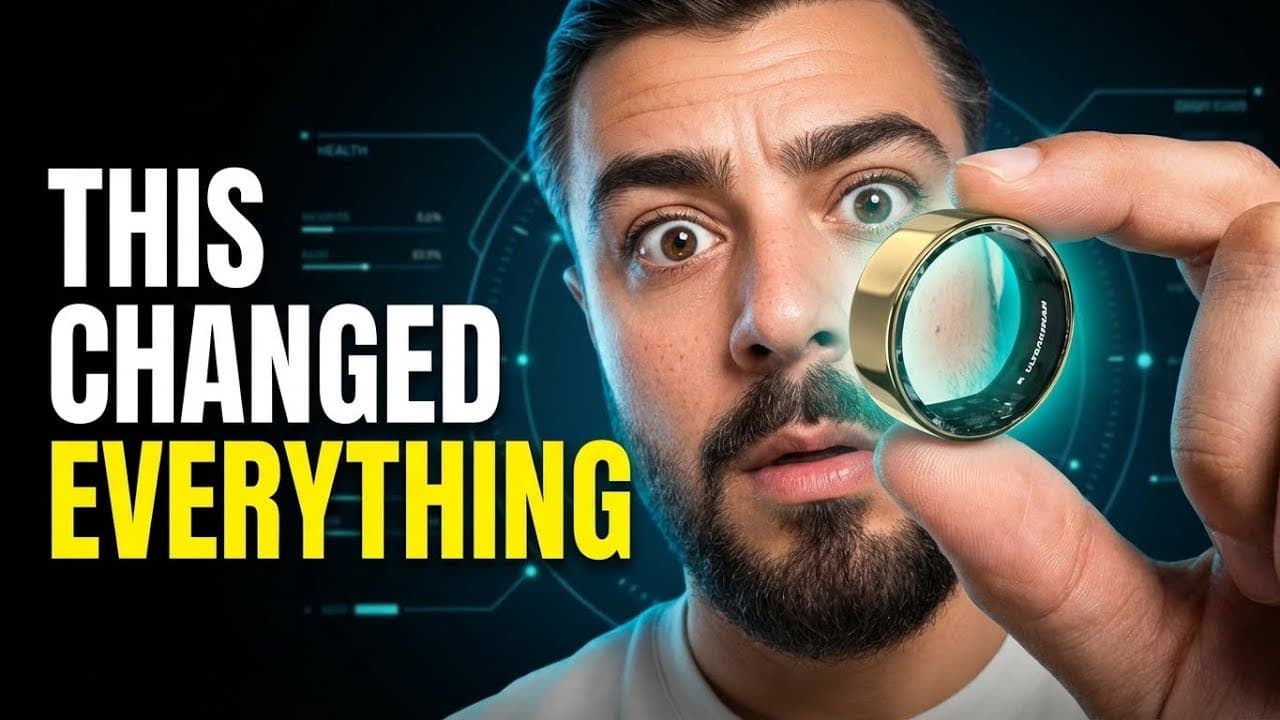
When the actual ring arrived, the weight difference compared to other tech was immediately obvious. As I said in the video, "This thing weighs 2.4 grams. To put that in perspective, most smartwatches are around 30 to 40 grams. This is literally 11 times lighter." The exterior is titanium with a carbon coating that gives it a clean, matte finish. It looks like an ordinary piece of jewelry rather than a mini computer strapped to your hand.
I wore it while cooking, doing chores, and working in my studio. It handled minor scrapes without picking up deep scratches, and the water resistance is rated down to 100 meters. That means you never have to take it off to wash your hands or hop into the shower.
Why tracking health from a finger works better than raw smartwatch data
Smart rings have a clear physical advantage over wrist wearables when it comes to gathering pulse data. The fingers have high capillary density and strong blood perfusion right beneath thin skin, making it easier for photoplethysmography sensors to capture clean optical signals.
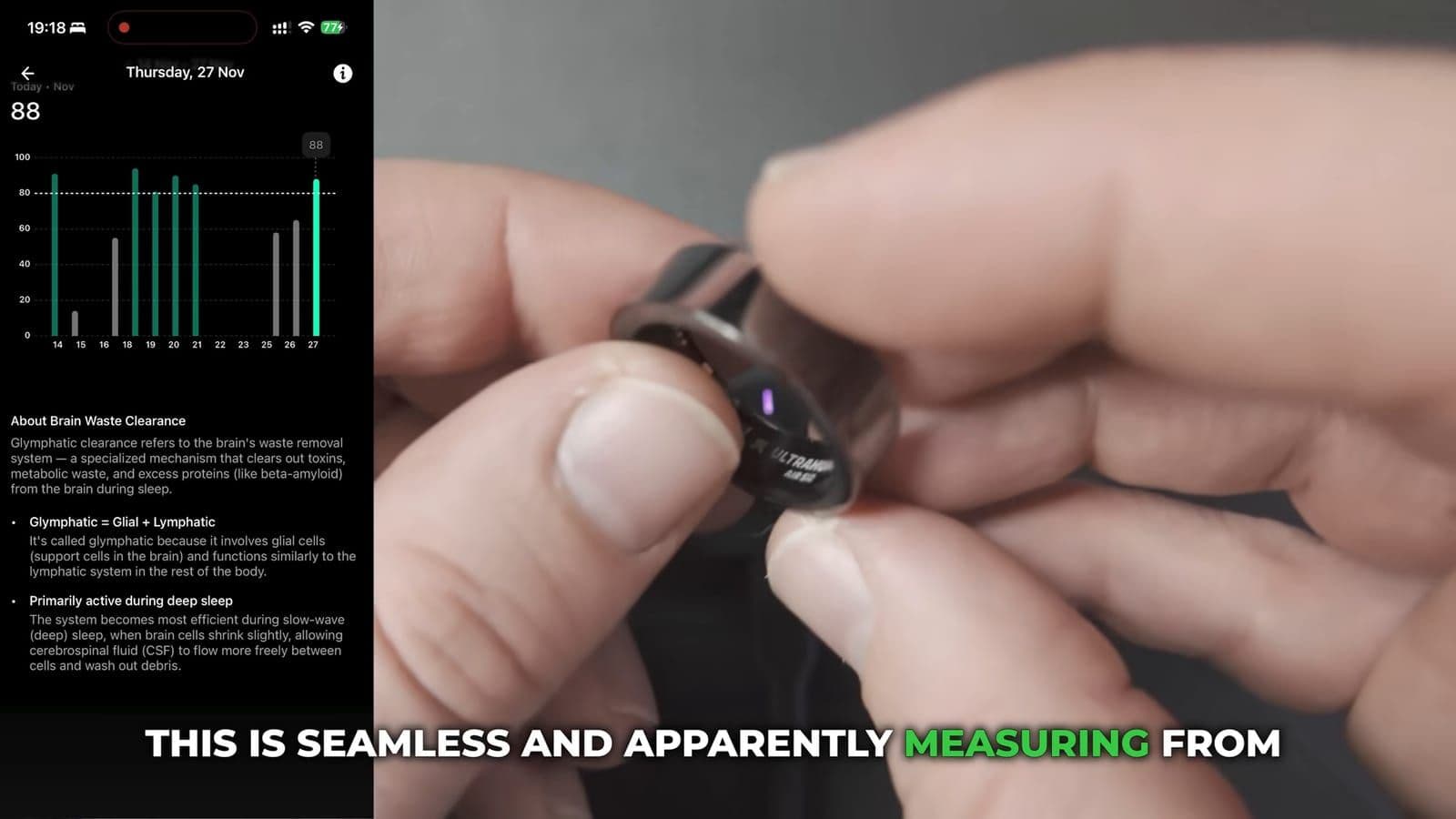
The inside of the band is smooth, with the PPG sensors embedded completely flat against the resin lining. There are no raised plastic bumps digging into your skin like you find on older trackers. What surprised me most, however, was not the hardware itself, but how the Ultrahuman app processes that signal.
Most wearables just dump raw numbers on your screen and leave you to figure it out. As I mentioned in my testing, "Most health trackers gives you data, numbers, graphics. Great. What am I supposed to do with that?" Ultrahuman focuses on context. After a rough night of sleep, the app did not just tell me I had a poor sleep score. It showed me that my resting heart rate did not drop until 6:00 AM, explained that delayed heart rate drops usually stem from late digestion or stimulants, and suggested I cut out caffeine after 2:00 PM and dim screens by 9:00 PM. That kind of actionable feedback changes your actual habits.
What biological age and stress rhythm actually taught me
The software includes a metric called Ultra Age, which breaks down your biological score into brain age, blood age, and pulse age based on heart rate variability, arterial compliance, and sleep quality. This was a rude wake-up call for me.
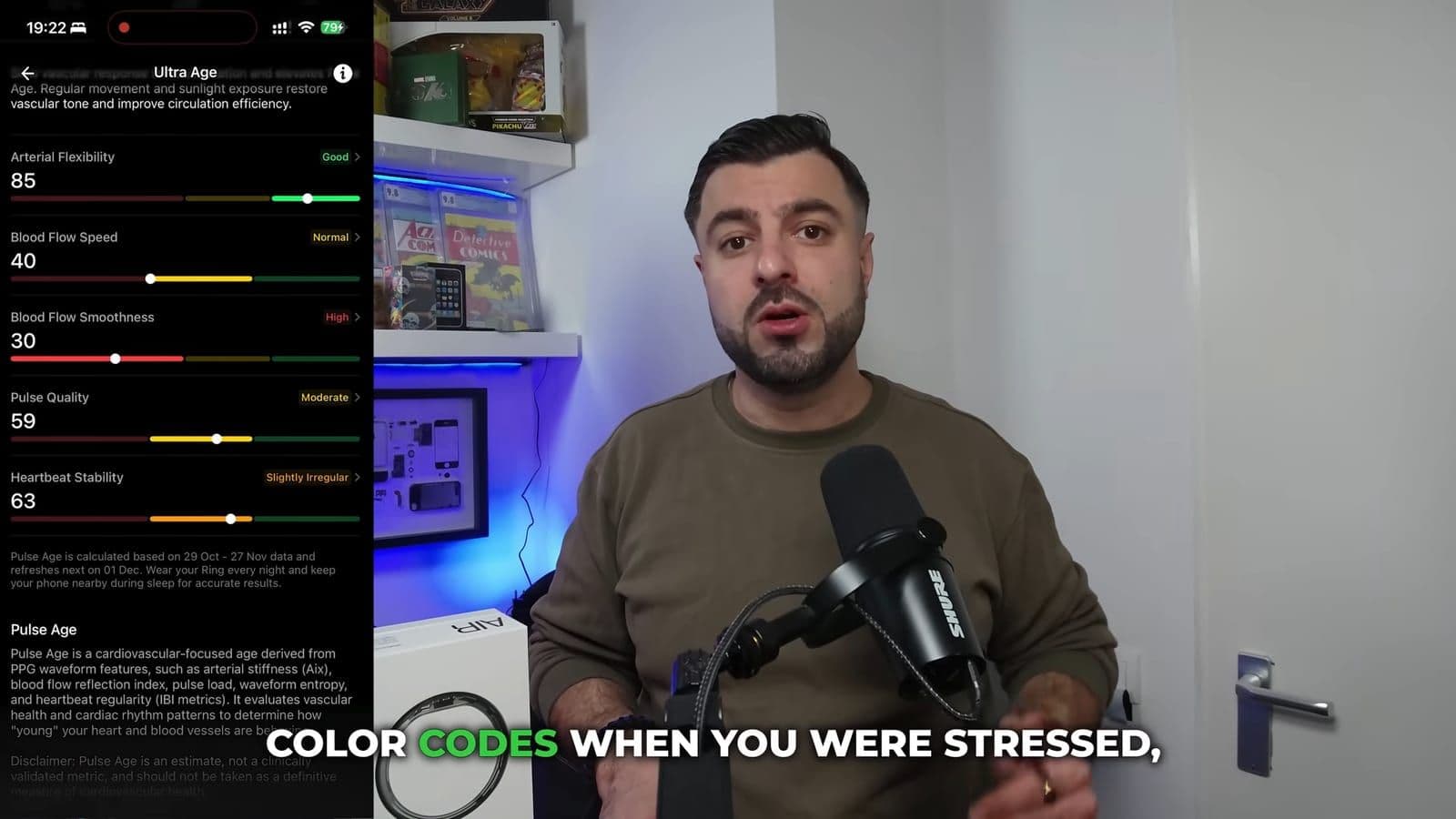
The app calculated my cardio age at 42 years old. Considering I was 34 years old when I put the ring on, seeing that number stung. But it worked as a serious kick in the rear. I started taking my evening routine seriously, went for daily runs, and moved my bedtime up. Within four weeks of consistent tracking, my brain age score improved from 40 down to 37, and my average sleep jumped from five or six hours up to seven solid hours.
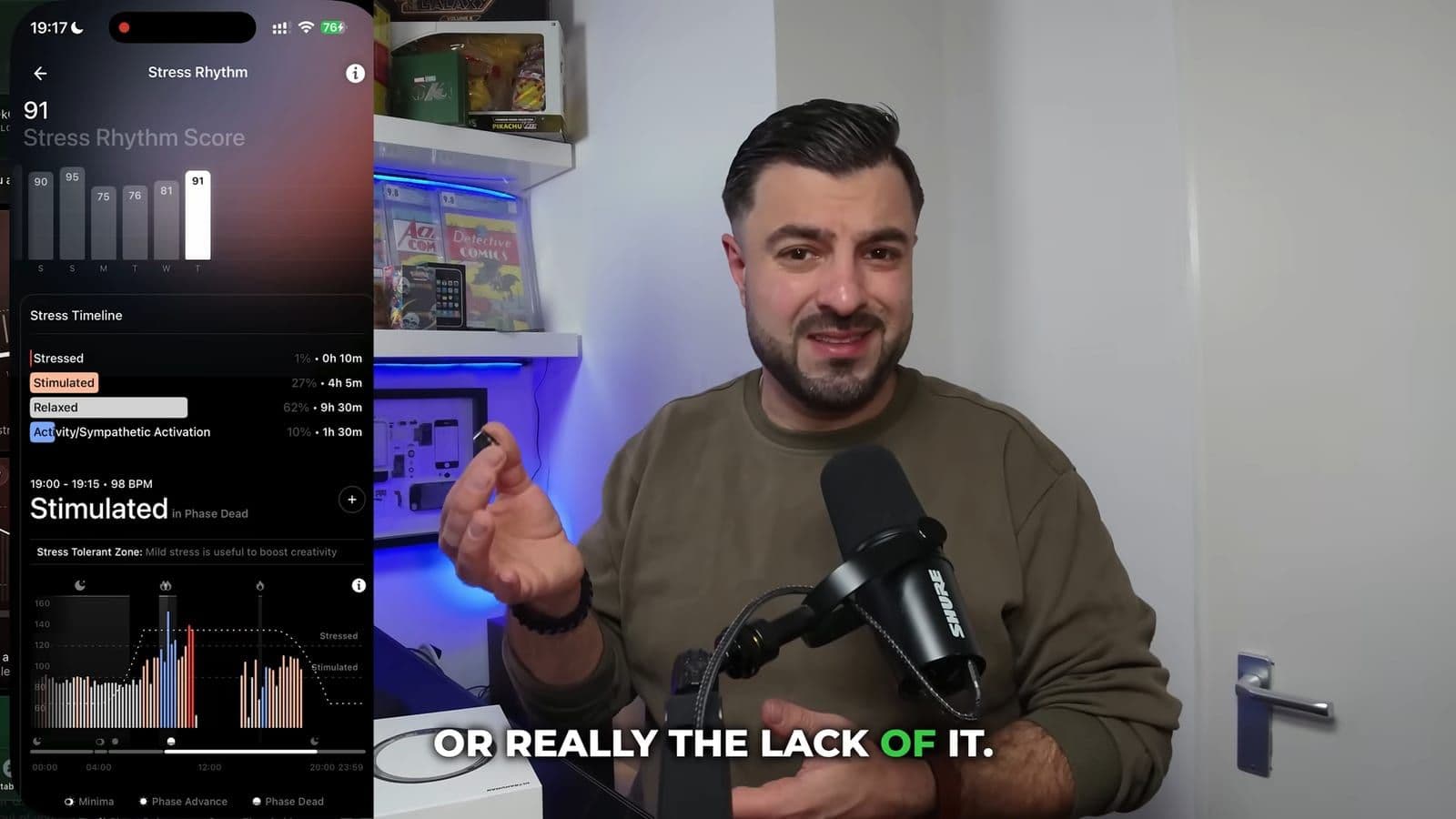
The real-time stress rhythm feature was equally eye-opening. The app maps your day into four physiological bands: stressed, stimulated, relaxed, or active. One afternoon I saw an intense orange spike at exactly 2:00 PM. Looking back at my calendar, that was the exact minute I answered an infuriating phone call from a client. Seeing that emotional spike reflected instantly on a physical chart makes you rethink how you manage your working hours.
If you want more specialized tracking, the app has a section called PowerPlugs. These are modular tools you can toggle on or off, such as caffeine intake windows, Vitamin D tracking, or ovulation cycles. Most are free, though keep in mind that certain advanced integrations carry an extra fee.
Battery life, charging routines, and sleep accuracy in daily use
In my sleep testing against an Apple Watch, the numbers were remarkably consistent. On one typical night, the Ring Air logged 8 hours and 25 minutes of total sleep, while my Apple Watch recorded 8 hours and 19 minutes. The stage breakdowns between deep and REM sleep showed tiny variances, but both tracked my wake-up events identically.
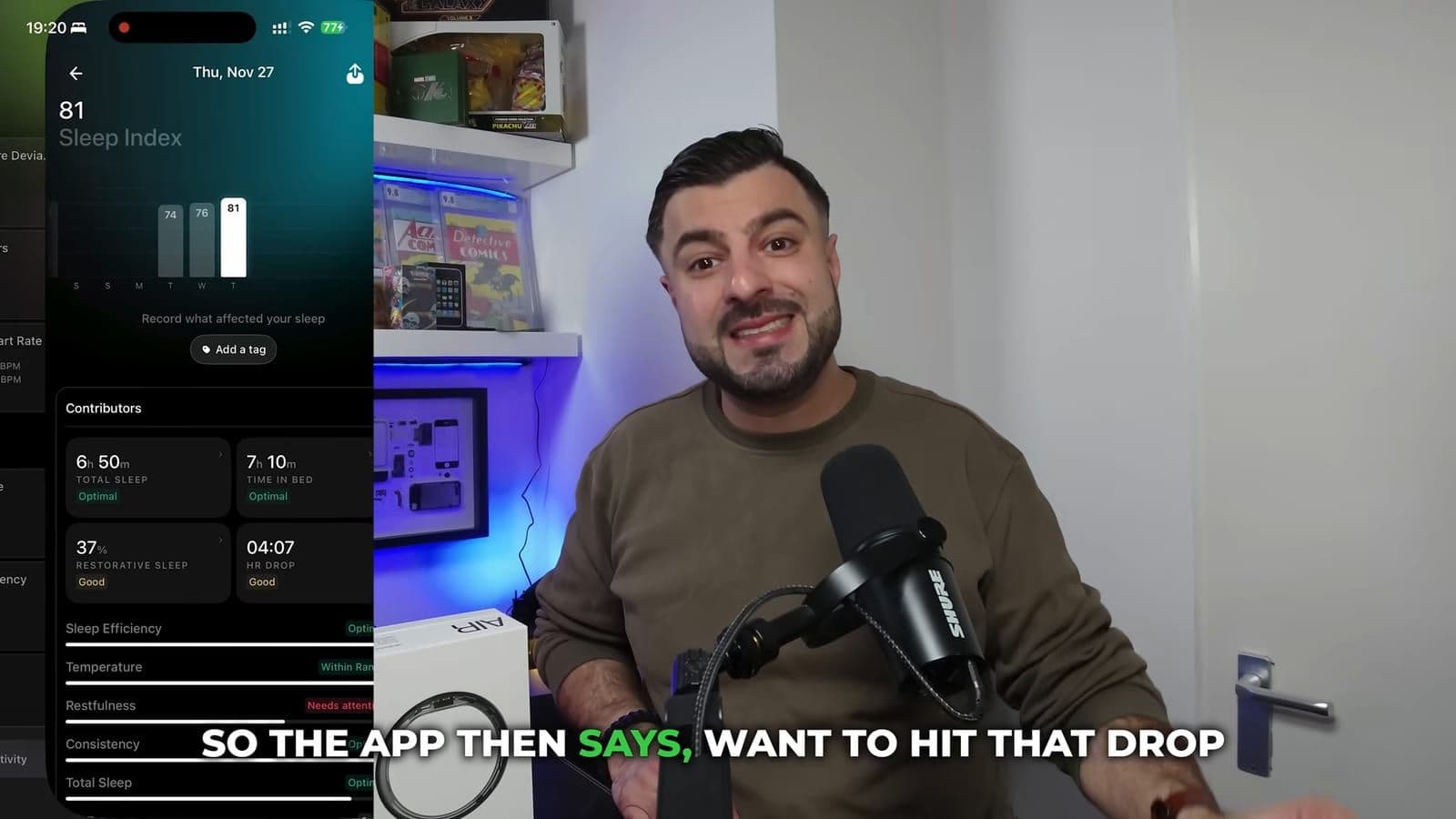
Battery life depends heavily on which operating mode you pick inside the settings menu. You have two main options: Turbo Mode and Chill Mode.
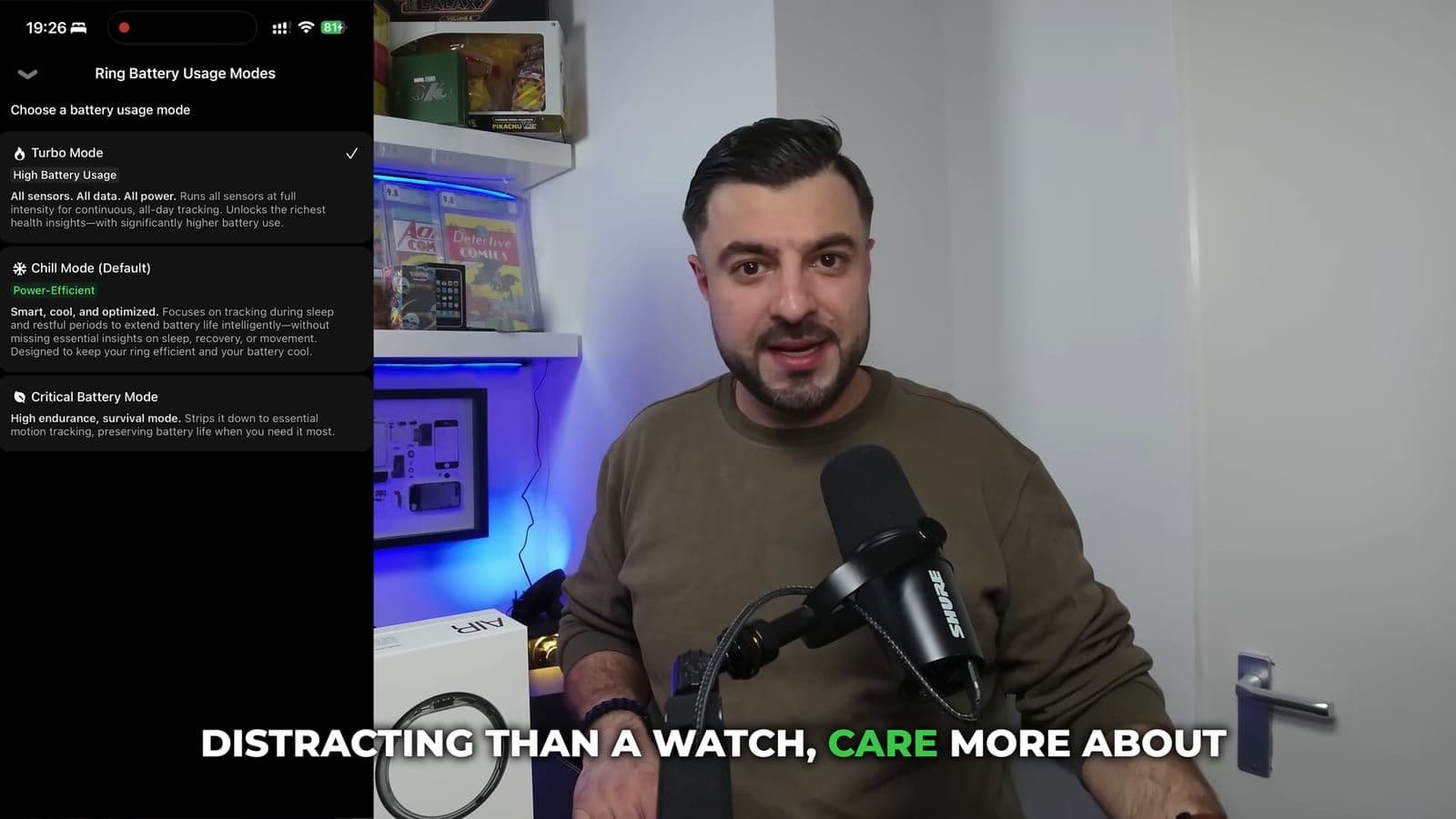
- Turbo Mode: Samples sensors continuously all day, lasting between 1 and 2 days on a single charge.
- Chill Mode: Optimizes sensor reads during rest and sleep, pushing battery life out to 3 or 4 days.
- Charging time: Around 20 minutes on the included desktop dock to top off daily.
I kept mine in Turbo Mode and simply dropped the ring onto its square USB-C charging cradle each morning while taking a shower. That twenty-minute daily top-up was plenty to keep the battery hovering above seventy percent without ever having to think about dead batteries.
The annoying parts you need to know before buying
No gadget is perfect, and the Ring Air has two specific shortcomings you need to keep in mind. First, the ring has a tendency to rotate slightly on your finger while you toss and turn in bed. If the bottom sensor cluster spins away from the palm side of your hand toward the top of your knuckle, sensor accuracy temporarily dips until you adjust it.
Second, this is emphatically not a sports watch replacement. If you are doing heavy barbell squats or deadlifts, metal knurling will scratch the ring, and the pressure against your finger hurts. Furthermore, you get no display screen and no built-in GPS. If you are doing interval runs where you need live pace tracking and heart rate zone alerts, you still need a dedicated sports watch on your wrist.
Then there is the upfront cost. On 30 November 2025, the Ultrahuman Ring Air cost 379 euros, although during seasonal promotions like Black Friday it dropped down to 257 euros. That initial entry price is steep, but the critical point is that Ultrahuman charges zero subscription fees. Competitors like Oura charge six euros or more per month just to let you see your own sleep data. Over two years of ownership, paying six euros a month adds another 144 euros to your total investment. Ultrahuman owns its production facility, which allows them to offer full access to your data without a paywall.
You can check the current pricing and discounts through the Ultrahuman store link directly.
Who should buy the Ultrahuman Ring Air and who should skip it
You should buy the Ultrahuman Ring Air if:
- You want comprehensive sleep, stress, and recovery data without wearing a glowing watch screen to bed.
- You refuse to pay a monthly subscription just to unlock your personal health metrics.
- You want an ultra-light, subtle wearable that looks like classic jewelry and stays comfortable around the clock.
You should skip the Ultrahuman Ring Air if:
- You are an athlete who relies on live workout pacing, GPS mapping, and split times during training.
- You spend a lot of time lifting heavy barbells or doing manual construction work where finger rings get damaged.
- You prefer getting vibration alerts and phone notifications directly on your body.
Frequently asked questions
How accurate is the Ultrahuman Ring Air compared to the Apple Watch for sleep tracking?
In my side-by-side tests, the ring recorded 8 hours and 25 minutes of sleep compared to 8 hours and 19 minutes on the Apple Watch. Both trackers logged wake times and sleep stages almost identically, making the ring fully reliable for nightly recovery monitoring without needing a watch strap on your wrist.
Do you have to pay a monthly subscription for the Ultrahuman Ring Air?
No, the core health tracking features, sleep analysis, stress rhythm charts, and biological age metrics require no ongoing monthly fee. Once you buy the ring, your data remains accessible inside the companion app without any paywall.
How long does the battery last on a single charge?
In Turbo Mode with continuous sensor tracking enabled, the battery lasts between 1 and 2 days. If you switch to Chill Mode, it comfortably lasts 3 to 4 days, and a quick 20-minute daily charge while showering keeps it topped off indefinitely.